
A Meta lead ads CRM integration means that when someone fills in a lead form on a Facebook or Instagram ad, the lead appears in your CRM within seconds, with the campaign and ad it came from attached, a follow-up task created, and usually a WhatsApp message already on its way. No one downloads anything.
I set this up for new customers, and the before picture is almost always the same. Someone logs into Ads Manager every evening, downloads the day's leads as a CSV, pastes them into a sheet or a WhatsApp group, and the reps start calling the next morning. By then the lead is twelve to eighteen hours old. They filled in the form from a bus at 7pm, heard from two competitors who had the integration by 7:15, and have forgotten your ad by the time you call.
This post is the plain-language version of how the integration works and how to set it up. No technical words, I promise.
Why the CSV habit costs more than it looks
The cost is not the fifteen minutes a day. It is the hours between the form and the call. The Harvard Business Review audit of 1.25 million leads (Oldroyd, McElheran and Elkington, 2011) found that a lead contacted within the first hour was about seven times likelier to qualify than one contacted an hour later, and roughly sixty times likelier than one contacted the next day. A CSV downloaded at 8pm and called at 10am is the "next day" case, every day.
There is a second cost. Leads from ad forms are a little cold; people tap a form with their details pre-filled and move on. If the first message arrives the same minute, while they still remember the ad, they reply. If it arrives the next morning, you are a stranger.
What the integration actually does
In plain words, five things happen the moment a form is submitted.
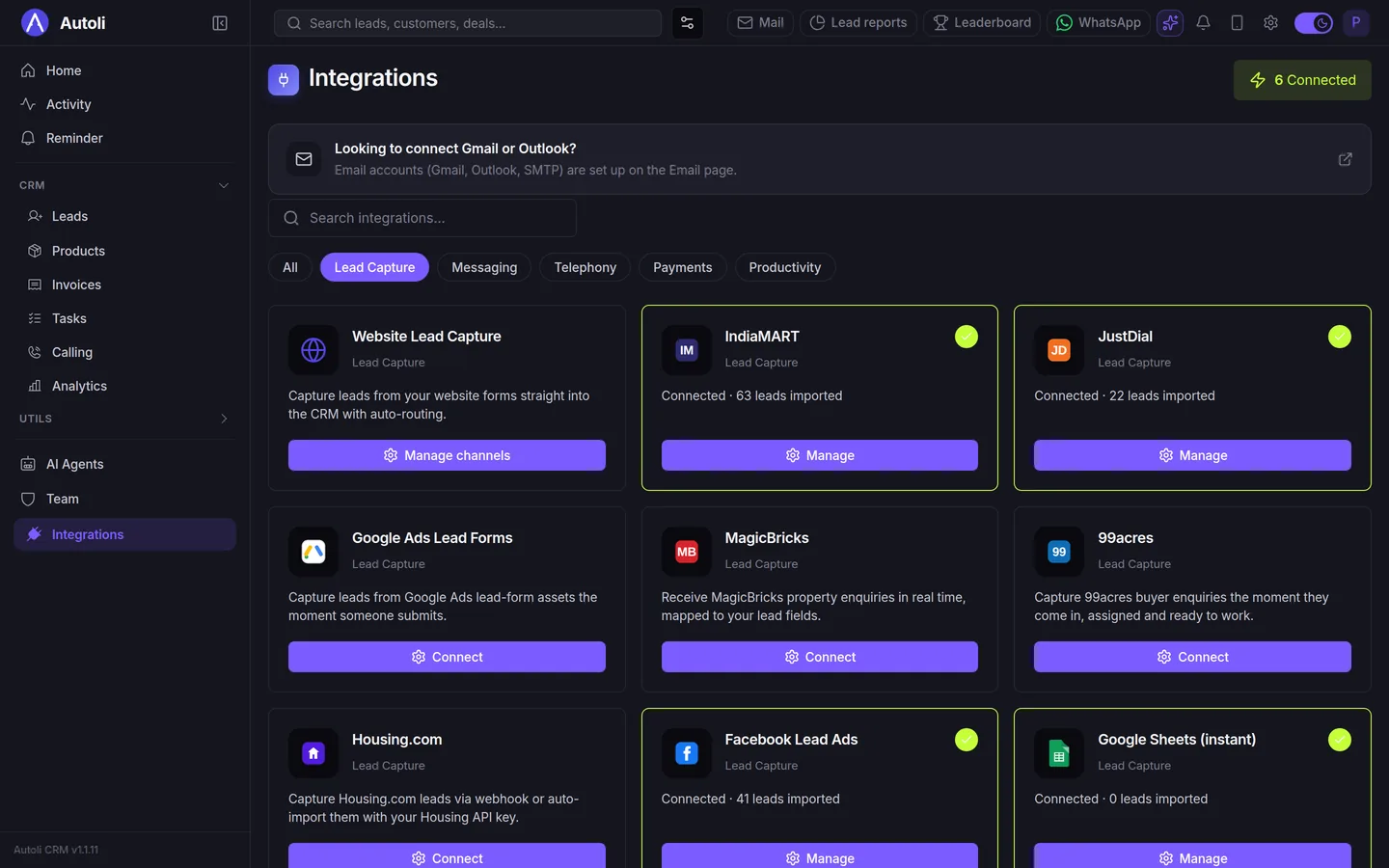
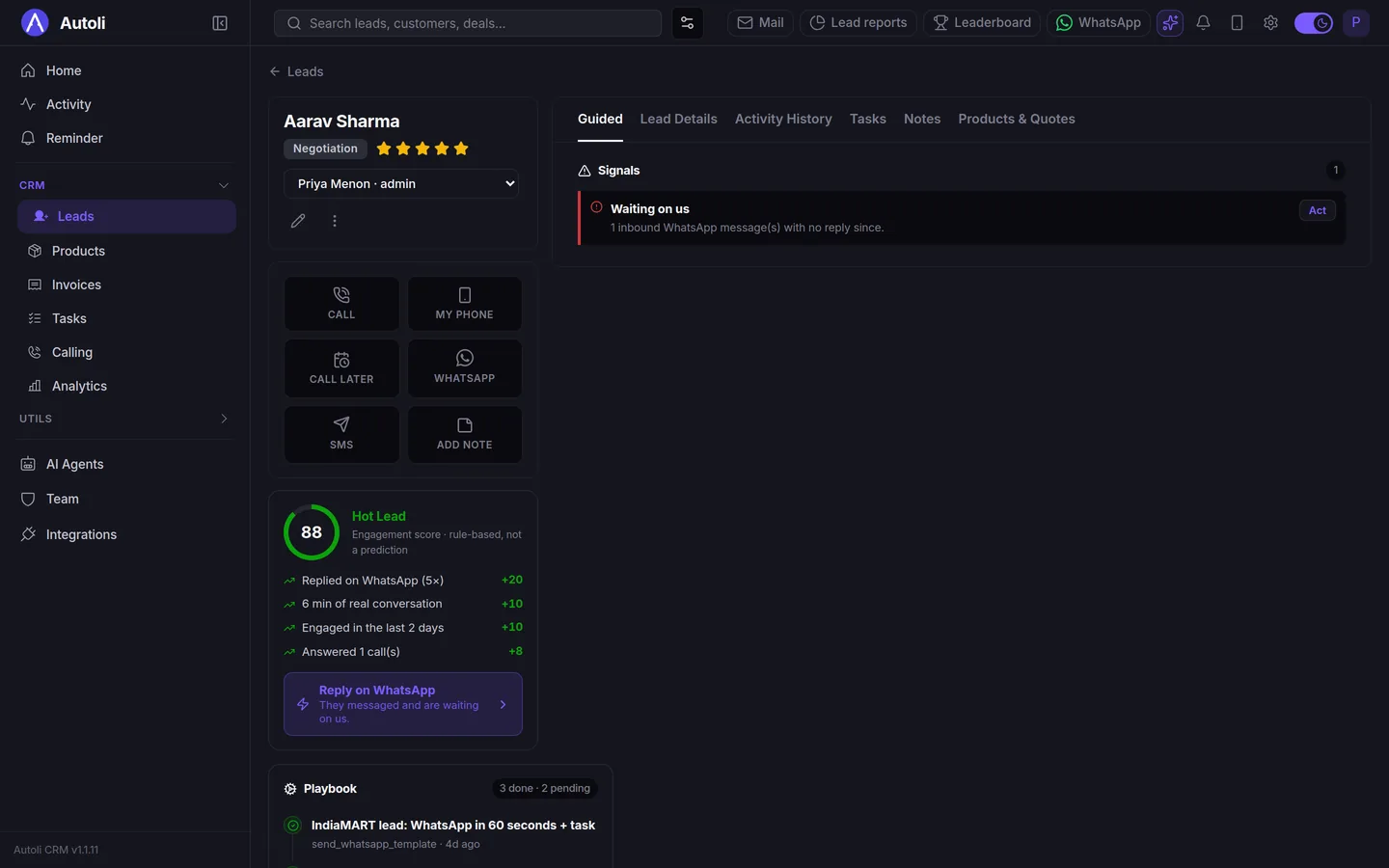
The lead is created in the CRM with the name, phone and whatever the form asked. The source is recorded as Facebook Lead Ads, and the campaign name, ad set and ad are written on the lead, so in a month you can see which ad produced customers and which produced tyre-kickers. If the same phone number already exists, the CRM adds the new enquiry to the existing lead instead of creating a duplicate. Then your follow-up rules run: a WhatsApp template to the customer, a task for a rep due within the hour, and the lead assigned to whoever handles that category. Finally, the lead shows up on the board in the New column with a signal saying nobody has contacted it yet.
Setting it up, step by step
This is what we do together on the onboarding call. It takes about twenty minutes, most of which is waiting for Facebook's pop-ups.
- Open Integrations in the CRM and choose Facebook Lead Ads. You will see a Connect button.
- Log in to Facebook. Use the account that manages your business page. Meta asks you to confirm the page and the permissions; say yes to both.
- Pick the page and the form. If you run several ads with different forms, pick each one and map the form's questions to the lead's fields: "Mobile number" to phone, "Which area?" to city, "Budget" to a custom field if you have one.
- Send a test lead. Meta has a testing tool; we use it during the call and watch the lead appear on the board with the campaign name on it.
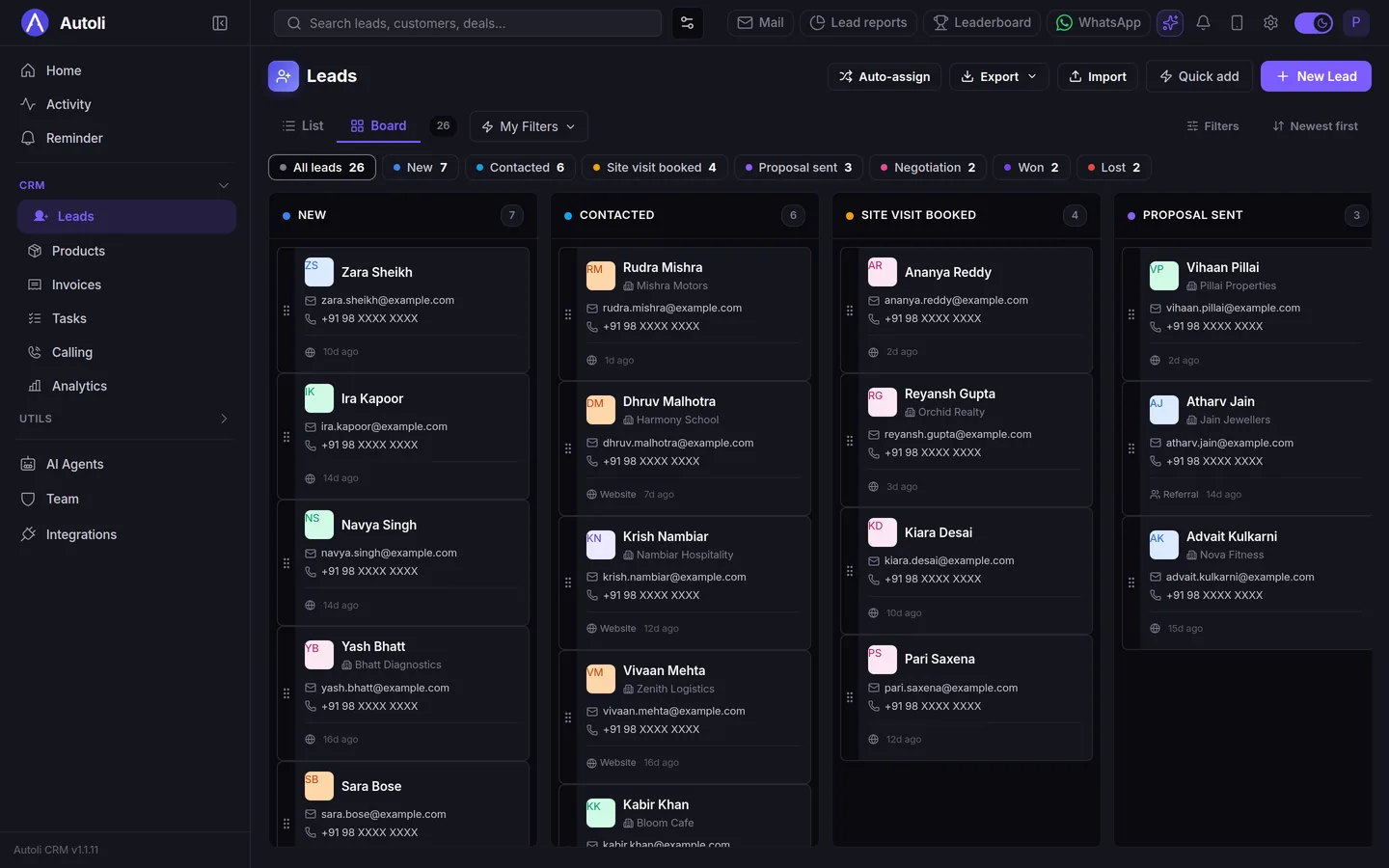
- Switch on the follow-up rule. "When a lead arrives from Facebook: send this WhatsApp template, create a call task due in 60 minutes, assign to this rep." Rudraksh's piece on follow-up automations goes through what each part does.
That is the whole setup. There is no developer involved and nothing to install on your website.
IndiaMART, JustDial and the website are the same idea
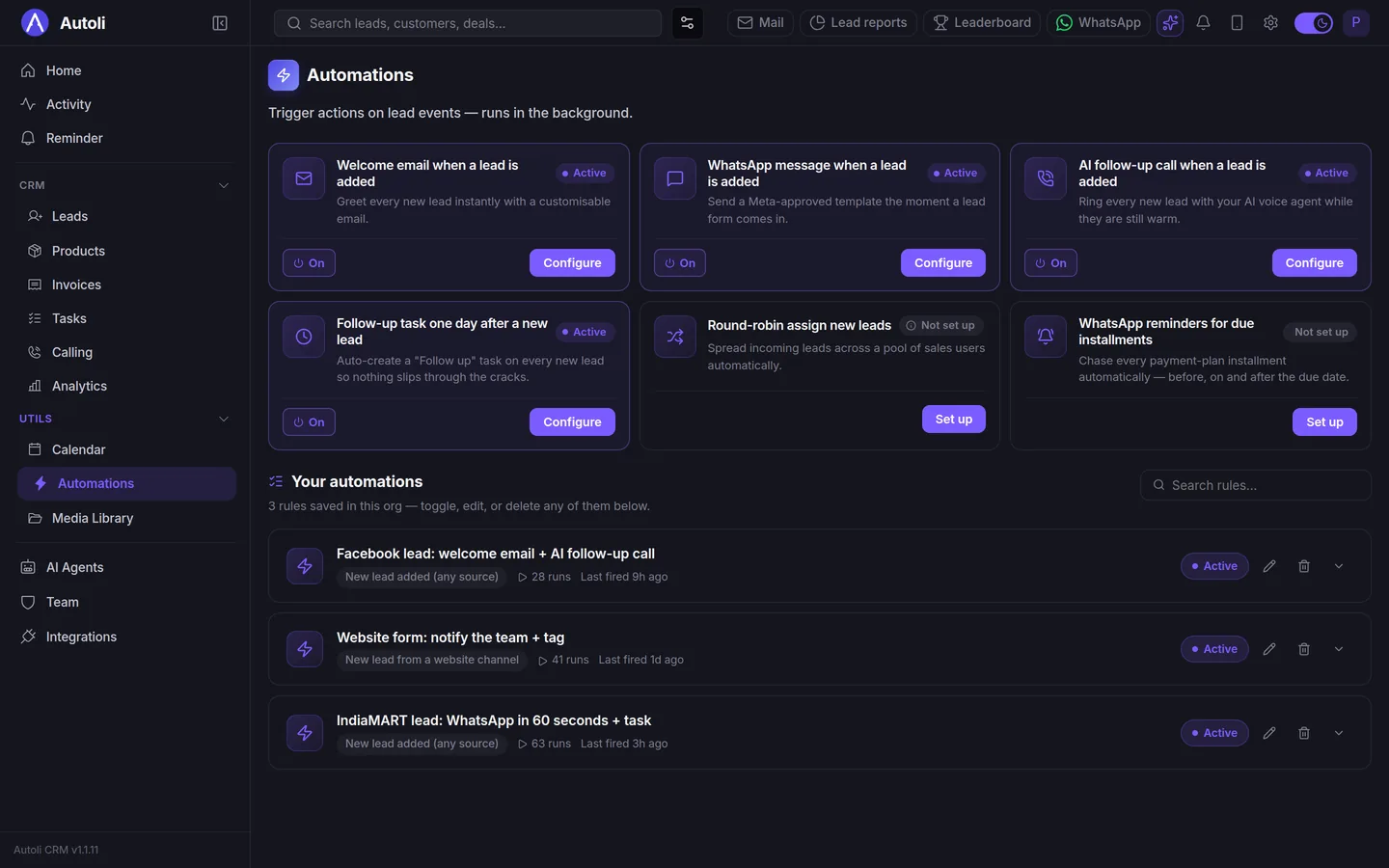
The reason I like the Facebook integration is that once a team has seen it work, they ask for the same thing for every source, and the answer is yes. IndiaMART and JustDial enquiries arrive the same way, with the source on the lead. Google Ads lead forms too. Your website's enquiry form can send straight to the CRM with a snippet we paste for you. And if you have a Google Sheet that someone updates, it can stay connected so rows become leads.
The point is not the integrations themselves. It is that every lead, from every source, lands in the same New column with the same follow-up rules, and nobody has to remember to check five places.
What you will notice after a month
Three things, in the order teams usually mention them.
First, reply rates. A template that lands within a minute of the form gets answered; the same message the next morning mostly does not. Second, the argument about which ad works ends, because every lead carries its campaign and ad name, and the lead reports show which of them produced site visits and which produced silence. Third, the evening CSV ritual disappears, and with it the person who was doing it, who now does something useful with that half hour.
The number I would track is time to first contact: the gap between the form timestamp and the first call or reply. Before the integration it is usually measured in hours. After, in minutes.
Honest limits
The CRM makes you faster; it does not make the leads better. Facebook forms produce a share of wrong numbers and people who tapped by accident, and the integration will bring those in too. The fix is in the ad, not the CRM: ask one qualifying question on the form, and the junk drops.
Also, the connection is between your Facebook page and the CRM, so if someone changes the page's admin or the password, the connection can need re-authorising. It takes two minutes and the CRM tells you when it happens.
What I would do this week
- Find out how old your Facebook leads are when someone first calls them. Check the form timestamp against the first call. Most teams are shocked.
- Connect the page. Twenty minutes, no developer. We do it with you on the onboarding call.
- Write the first WhatsApp template today and submit it for approval. Approval is the slow part; start now.
- Switch on one rule: template plus task within the hour. Measure time-to-first-contact a week later.
- Add a qualifying question to the form. One question about budget or area removes most of the junk.
If you would like to see a test lead arrive during a call, book a walkthrough and have your Facebook login handy; the pricing page lists what is included. Onboarding and data migration are part of the annual plan at ₹700 per user per month, support is on email and WhatsApp, and there is a 15-day money-back guarantee rather than a free trial. For what happens after the lead replies, Gautam's WhatsApp CRM guide covers the inbox, templates and broadcasts, and Rudraksh's original piece on speed to lead is where the first-hour number comes from.