
A WhatsApp CRM is a CRM where your business WhatsApp number lives inside the software: customers message the number, the conversation appears on the lead's record, any rep on the team can reply from a shared inbox, and approved template messages let you go back to a customer who has gone quiet. It runs on the official WhatsApp Business API from Meta, not on someone's phone.
I run onboarding at Autoli, which means I have connected a lot of WhatsApp numbers for a lot of small businesses, and I have seen what they were doing before. Usually it was one of two things. Either the owner's personal WhatsApp with 400 unread chats, or a "WhatsApp CRM" browser extension stuck on top of WhatsApp Web that broke every time Meta changed something. Both work until the day they do not, and that day is usually when a rep leaves with the phone.
Here is how the real thing works, a day at a time, and the parts of it that are genuinely annoying.
What changes when WhatsApp is inside the CRM
Three things, and they matter more than any feature list.
The number belongs to the business. You connect it through Meta's own signup pop-up, the chats live on the lead, and if a rep leaves, the conversation stays. The manager can read any thread. Nobody has to forward screenshots.
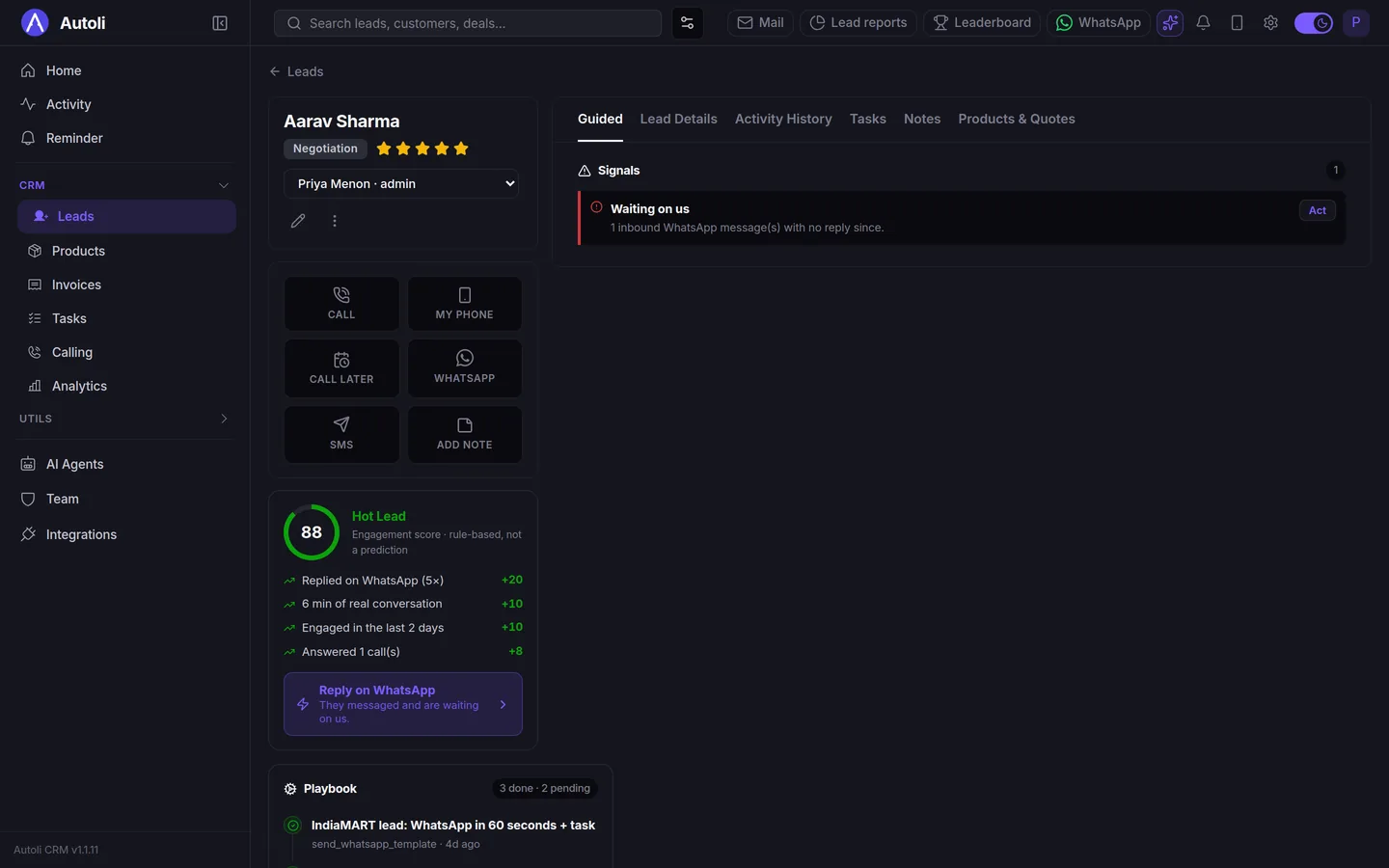
Every chat sits on a lead record, next to the calls, the tasks and the quotation. When a customer writes "Saturday ko site visit ho sakta hai?", the reply is typed on the same screen where the rep books the task, and the lead's stage moves from Contacted to Site visit booked without opening another tab.
And you can reach out first. With a personal WhatsApp you are waiting for customers to message you. With the Business API you can send an approved template to someone who enquired last week and never replied, or to two hundred people at once.
A Tuesday, hour by hour
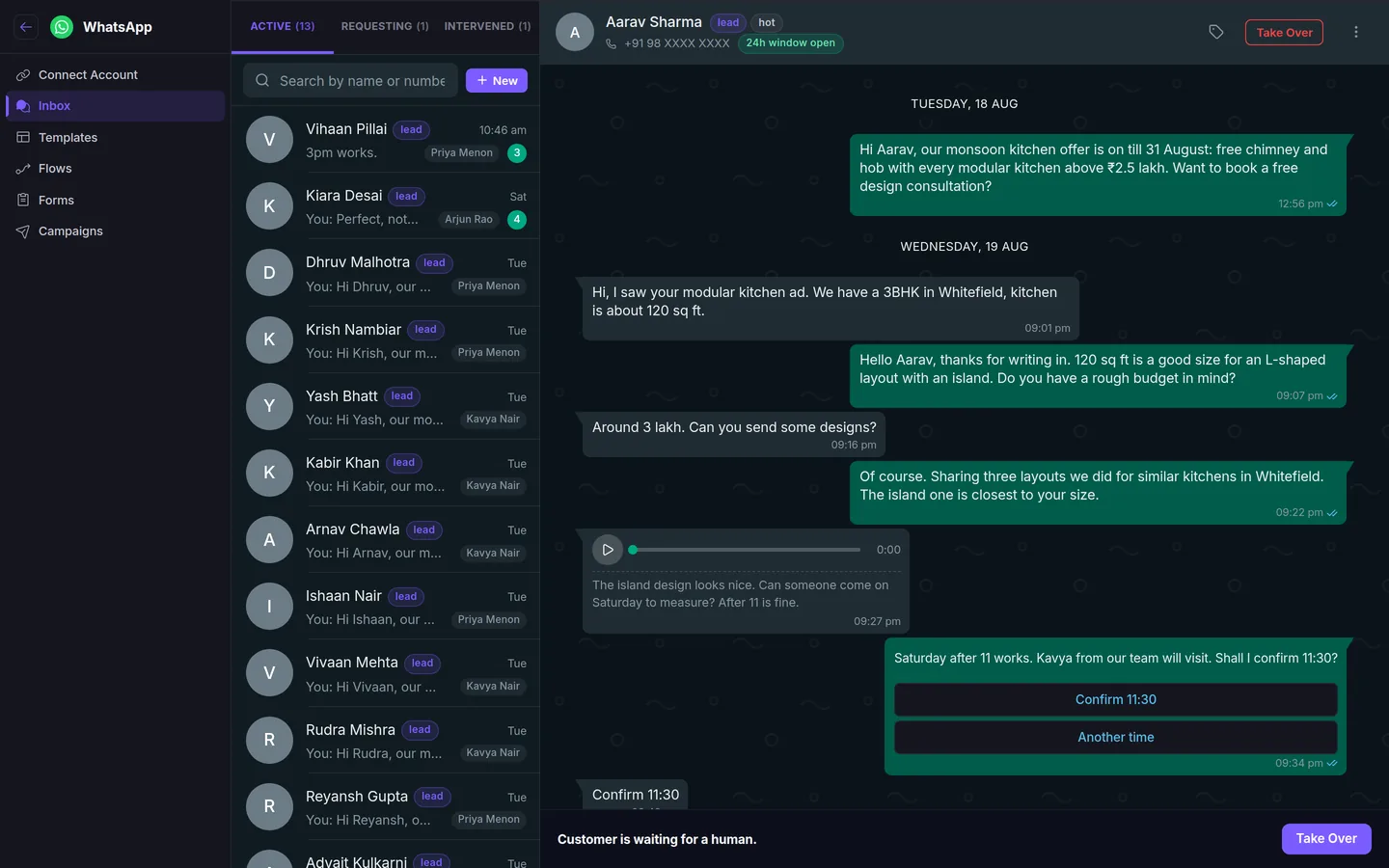
9:10am. A new enquiry arrives on the business number from a Facebook ad. Nobody has replied yet, so the lead shows a "waiting on us" signal on the team dashboard. Kavya opens it, sees the ad it came from and replies. The customer sends a voice note, which appears with a transcript so Kavya does not have to put her earphones in.
11:30am. The customer asks "is the quartz counter included in the 3 lakh?", which is a pricing question the bot is not allowed to answer. The conversation flips to "requesting a human", Kavya takes it over with one click, answers, and hands it back.
2pm. A quotation goes out from the lead's Money tab, and a template message with a "View quotation" button goes with it, because a file sent by WhatsApp gets read and a file sent by email gets archived.
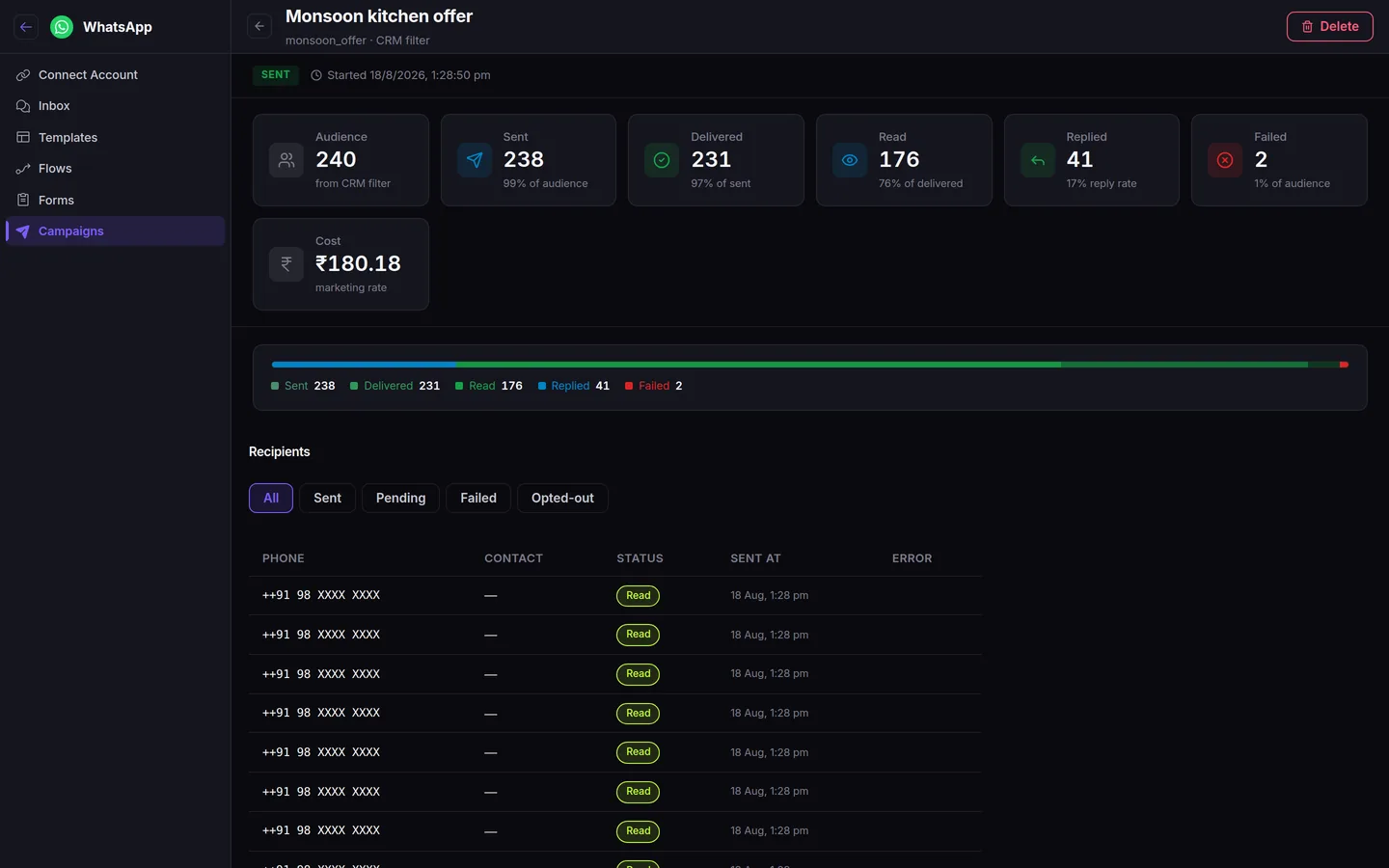
4pm. Priya, the manager, filters leads to "Contacted, no reply in three days", picks a template that asks whether they got the designs, and sends it to 40 people. Replies come back into the same inbox, to the right owner.
That whole day produced no screenshots, no forwarding, and no "did anyone reply to the Patel lady?" in the group chat.
The rules Meta makes you live with
This is the part vendors skip. I would rather you hear it from me than discover it in week two.
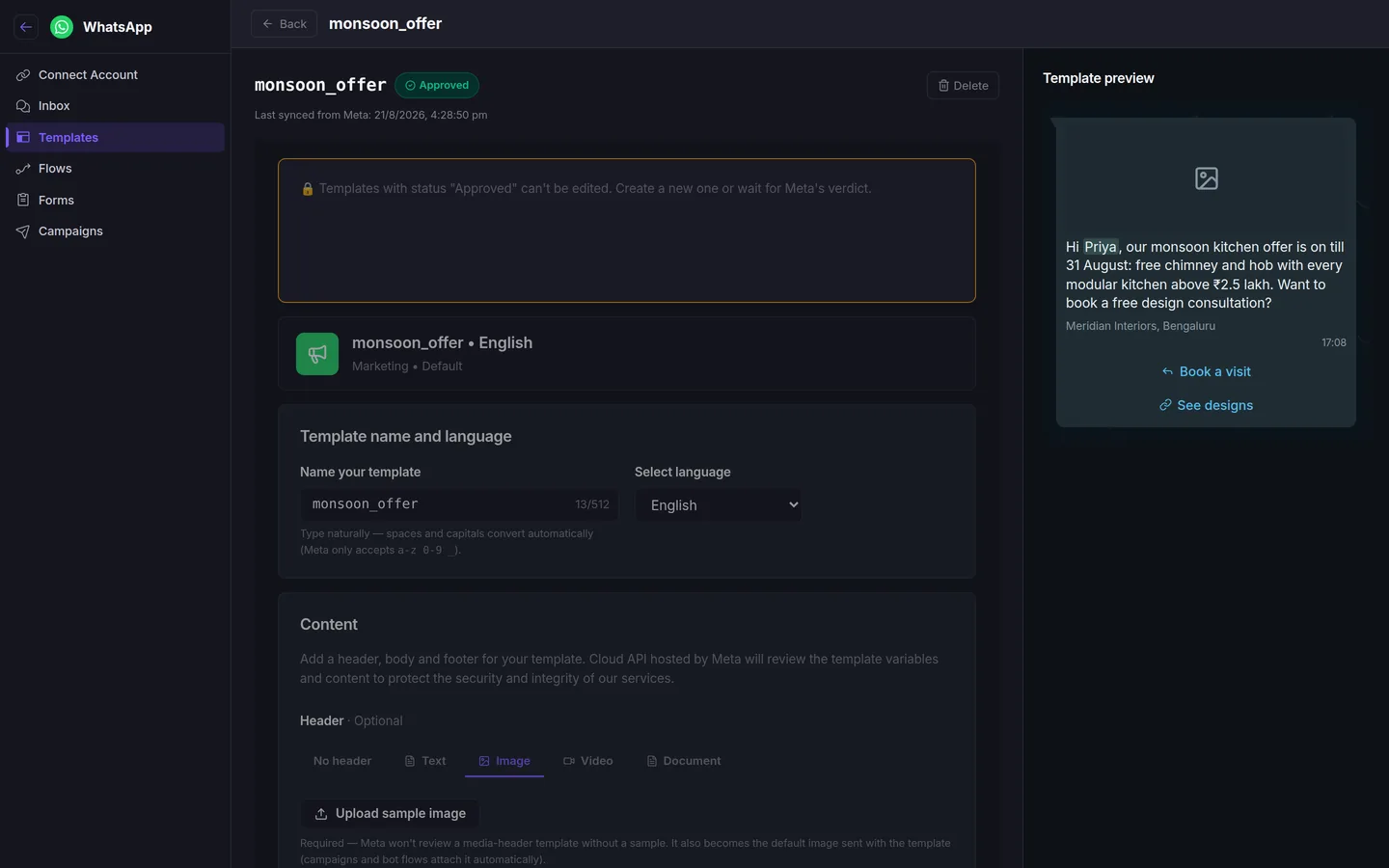
- The 24-hour window. Once a customer messages you, you can reply freely for 24 hours. After that you can only start the conversation again with an approved template. The inbox shows a "24h window open" chip on each thread so reps know when to hurry.
- Template approval. Every message you want to send first, whether a hello, a quote follow-up or an offer, has to be submitted to Meta and approved. It usually takes a few hours to a day, sometimes longer for marketing templates. Write them early.
- Meta bills you for conversations. The CRM does not mark this up; Meta charges your account directly, and the amount depends on whether the conversation is marketing, utility or service. A utility template like a site-visit reminder costs less than a marketing broadcast. The campaign screen shows the cost before you send.
- People can opt out. If someone replies "stop", they are out, and the CRM should refuse to message them again. Ours does.
None of these are reasons to avoid the API. They are the reasons it works: customers trust a number that cannot spam them.
Bots and humans on the same number
A lot of teams ask whether they should let a bot answer. My answer is: let it do the first ninety seconds. A greeting with three buttons, a question or two to capture the basics, and a lead created with the answers. The moment someone asks about price, or writes something the flow did not expect, a person should take over, and the inbox should make that obvious. I wrote a separate piece on building that first flow: WhatsApp automation for business.
When no flow matches, an AI agent can reply as your business in Hindi, English or whatever the customer used, and it can book a site visit or add a note to the lead. It is good at first questions and bad at negotiation, which is why the take-over button exists.
How the setup actually goes
This is what people worry about most, and it is the part that has become easy. You log into Facebook from inside the CRM, Meta's pop-up lists your business and the number, you pick one, and the number is connected. If you do not have a WhatsApp Business number yet, we get one set up for you as a one-time add-on, including the display name and your first templates.
Then we do the rest with you on a call: import your leads from Excel with a column-mapping screen, write and submit the first three templates, decide which reps see which conversations, and set working hours so nobody gets a reminder at midnight. Onboarding is included on the annual plan (₹700 per user per month, every feature) and a one-time ₹7,500 on quarterly. After that, support is on email and on WhatsApp, which is the only way a WhatsApp CRM's support should work.
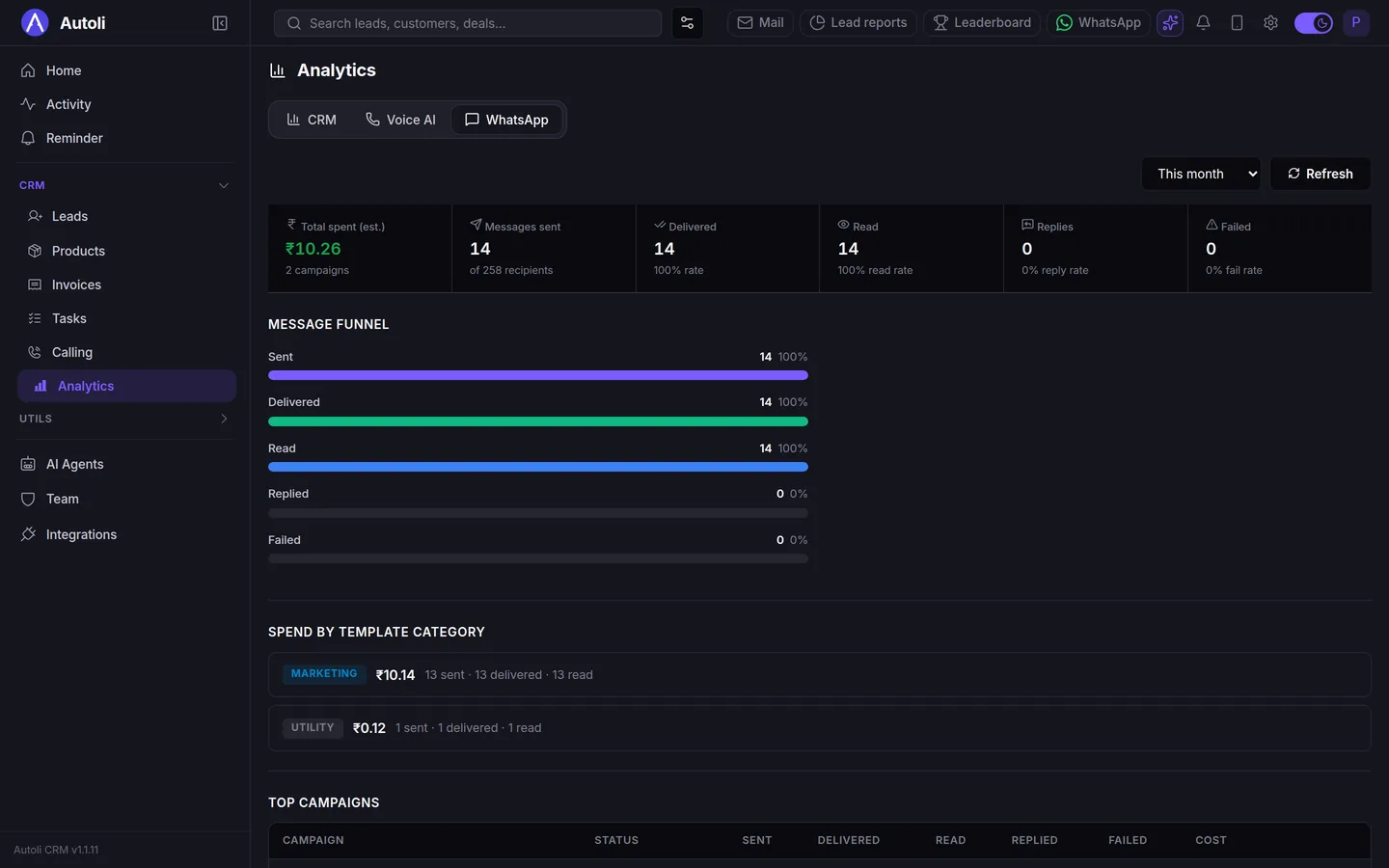
What I would do this week
- Get your business number onto the API. Even if you change nothing else, your chats stop living on one phone.
- Write three templates and submit them today. A hello, a "did you receive our quote", and a reminder. Approval takes time.
- Agree on who answers what. Bot for the greeting, rep for anything with a rupee sign in it.
- Set working hours. Nine to seven, six days, or whatever is true for you.
- Send one small broadcast to 30 quiet leads and read the replies. You will find two or three deals you had written off.
If you want to see your own number connected on a call, book a walkthrough; the pricing page lists every add-on, including what Meta charges and what we do not. And if you are still choosing a CRM, Rudraksh's guide to picking one for a small Indian business is where I would start. We do not run free trials; we set you up properly and give you 15 days to ask for your money back instead.