
A CRM with a calling feature lets a rep dial a lead from the lead's own page, logs the call with its duration and outcome, keeps the recording, and, if it is any good, writes a short summary so the manager does not have to listen to it. That last part is what turns a dialer into a management tool.
I look after the calling side at Autoli, so I spend my days listening to other people's sales calls. The thing I have learned is that nobody has a calling problem. They have a remembering problem. The rep made the call, the customer said something useful, and by Thursday it is gone. Recordings and summaries fix that more cheaply than any amount of training.
What actually changes when calls come from the CRM
The rep clicks Call on the lead. The call goes out from the business number, not from a personal phone, so the customer sees a number they will save and the company keeps the relationship if the rep leaves. The call gets logged on the lead with the time, the duration and the outcome: answered, not picked up, busy. A recording is attached. Within a minute or two, a transcript appears and a three-line summary sits at the top of it.
For a rep who prefers their own handset, there is a "dial on my phone" option: press Call on the computer, the phone rings, and it connects them to the lead. The logging is the same.
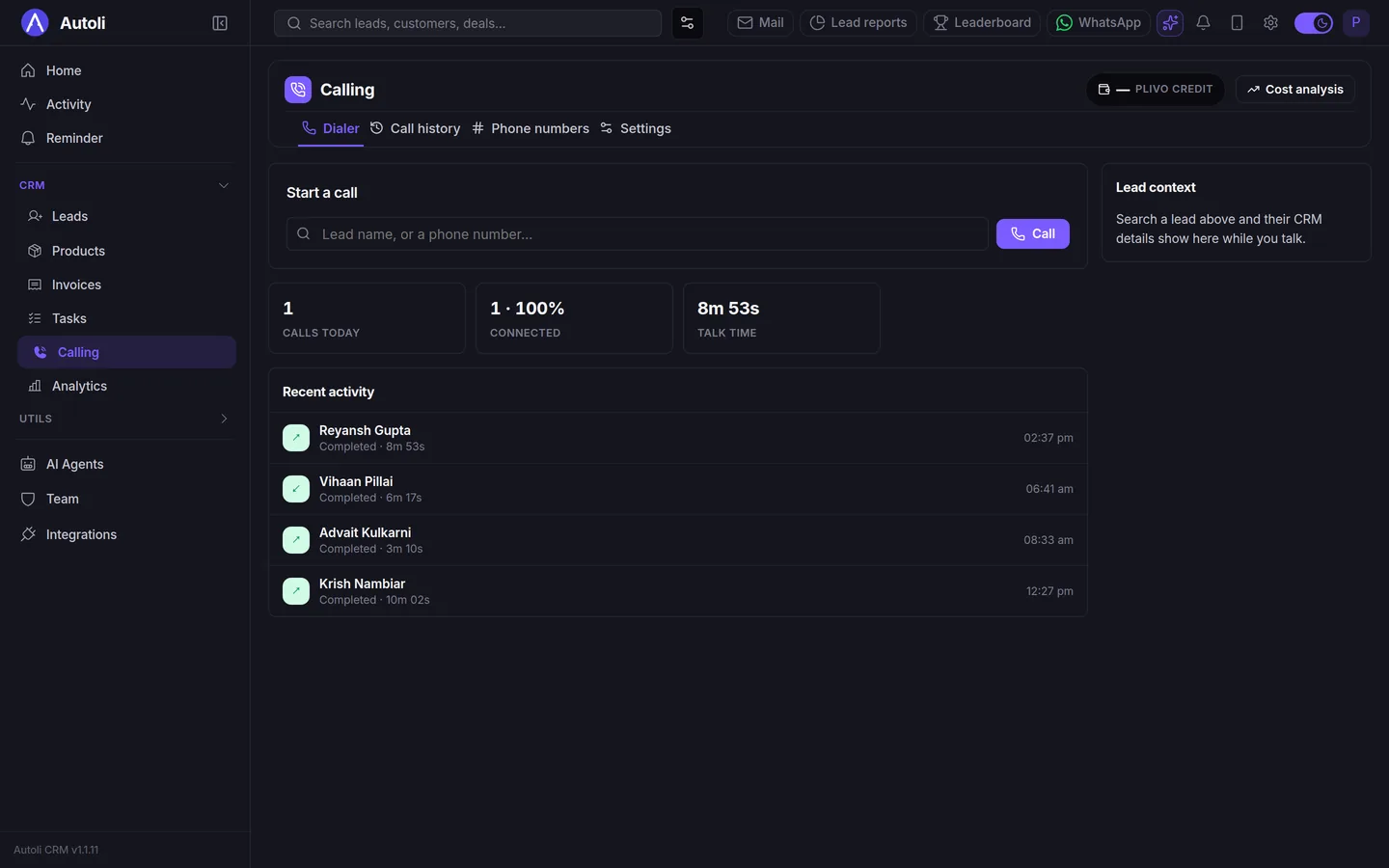
The manager's day changes more than the rep's. Instead of "how did the Gupta call go?", they open the call, read the summary, and skim the transcript if something looks off. Reviewing a rep's eight calls takes ten minutes. That is the difference between a manager who coaches and a manager who asks.
Why the summary matters more than the recording
Recordings have been around for years, and almost nobody listens to them. Eight minutes of audio per call, forty calls a week per rep, and a manager with a business to run. The recording is insurance; the summary is what gets read.
A good summary is two or three sentences: what the customer wants, what was agreed, what happens next. "Reyansh wants the villa finished before Diwali, which means design sign-off within two weeks. Priya proposed a Tuesday evening walkthrough with the architect. He also wants to see wardrobe internals in person." That is enough to run the Monday meeting, and it sits on the lead next to the WhatsApp thread and the quotation.
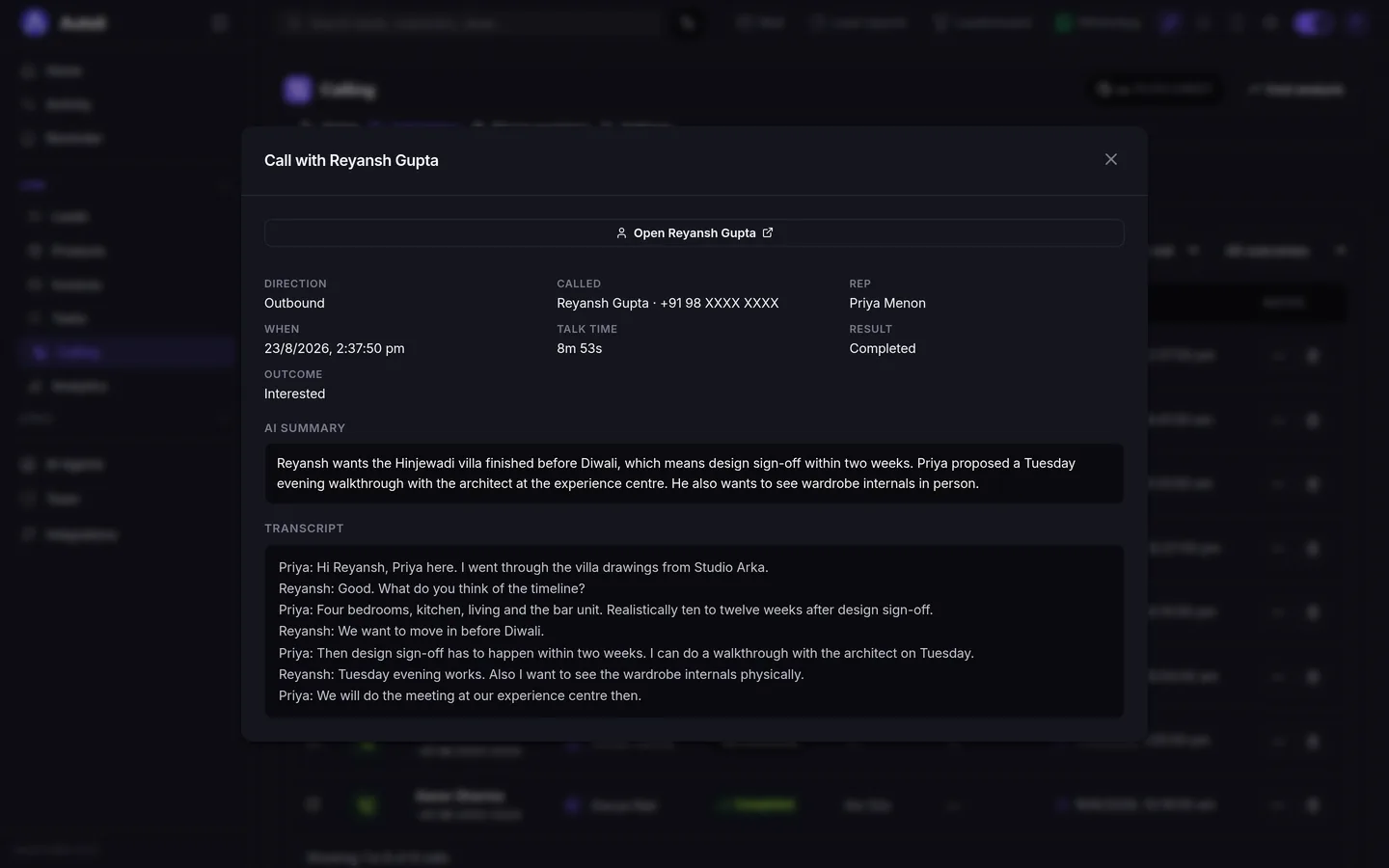
Two honest caveats. The summary is written by an AI and it occasionally misses a detail, usually a number, which is why the transcript and the recording are right there underneath. And the transcription has to cope with how Indian sales calls actually sound: "Abhi wala kitchen bahut chhota lagta hai" in the middle of an English sentence, on a mobile line, with traffic behind it. Ours handles the Hindi-English mixing well and the traffic less well. Do not buy any calling tool without playing it a real call from your team first.
What the rep sees, and what the owner sees
For the rep, the change is small and that is the point. The lead page has a Call button and a My Phone button. After the call, a dropdown for the outcome. The recording and the summary appear on their own. The task for the next call is one click away on the same page, next to the WhatsApp thread, so the rep is not switching between a dialer, a chat app and a sheet.
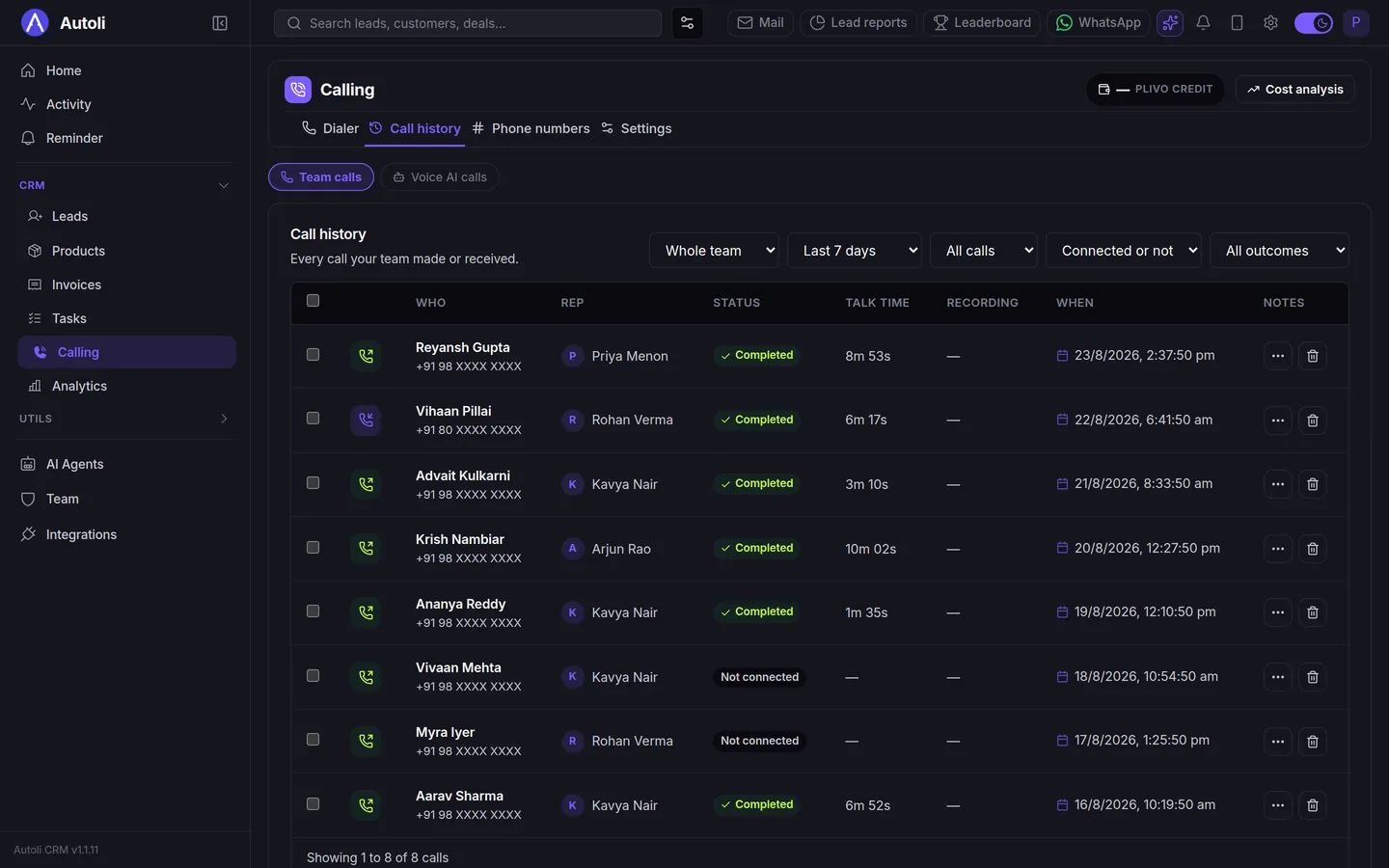
For the owner, the change is the call history: every call the team made, with who, how long, whether it connected and what came of it, filterable by rep and by week. The question "how many calls did we make this week and how many turned into site visits?" used to take a Friday afternoon. It now takes a filter.
Inbound calls are leads too
Most telecalling CRMs are built for outbound. The missed call at 10pm from a number you have never seen is also a lead, and usually a hot one. With a business number on the CRM, inbound calls ring the person you choose, get logged against the lead if the number is known, and create a new lead if it is not. If you switch on an AI receptionist for out-of-hours calls, it answers, asks what they need, books a site visit and logs a summary, so the morning starts with a lead instead of a missed-call notification. I wrote separately about what AI calling agents can and cannot do, including where they embarrass you.
What it costs, with no surprises
Calling is a pass-through cost and I would rather you see it clearly. Minutes are prepaid from a wallet at published per-minute rates. Phone numbers are bought inside the app, or you bring your own. There is a spend cap you set so a runaway campaign cannot empty the wallet. The CRM itself is ₹700 per user per month billed annually (₹999 quarterly), with calling included as a feature, so you are not paying for a "telephony edition".
Who this is not for: if you run a 200-seat call centre with predictive dialling and queue management, you want a contact-centre product. This is built for sales teams of three to forty who make and take calls as part of selling, not as the whole job.
The learning curve, honestly
Reps learn click-to-call in about a minute, because the button is on the lead and the phone rings. The thing that takes a week is the habit of picking an outcome after each call, and the way we handle that is to keep the outcome a single dropdown on the call record rather than a form to fill.
Everything else a team needs is already on the lead page: the WhatsApp thread, the tasks, the quotation. There is one Lead object, so the rep is never wondering whether to log the call against the contact or the deal. If they get stuck, Rexy, the assistant inside the app, answers "how do I…" questions from the product's own help, and our support is on WhatsApp, which for a calling team is the channel they are already in. Onboarding, including porting your existing leads from Excel, is done with you on a call and is included on the annual plan.
What I would do this week
- Move every rep onto the business number. Even before anything else, the recordings start accumulating and the customers stop saving personal numbers.
- Make the outcome a habit. Interested, follow up, not now, wrong number. One dropdown, every call.
- Read summaries, not recordings. Ten minutes per rep per day. Listen to the full call only when a summary surprises you.
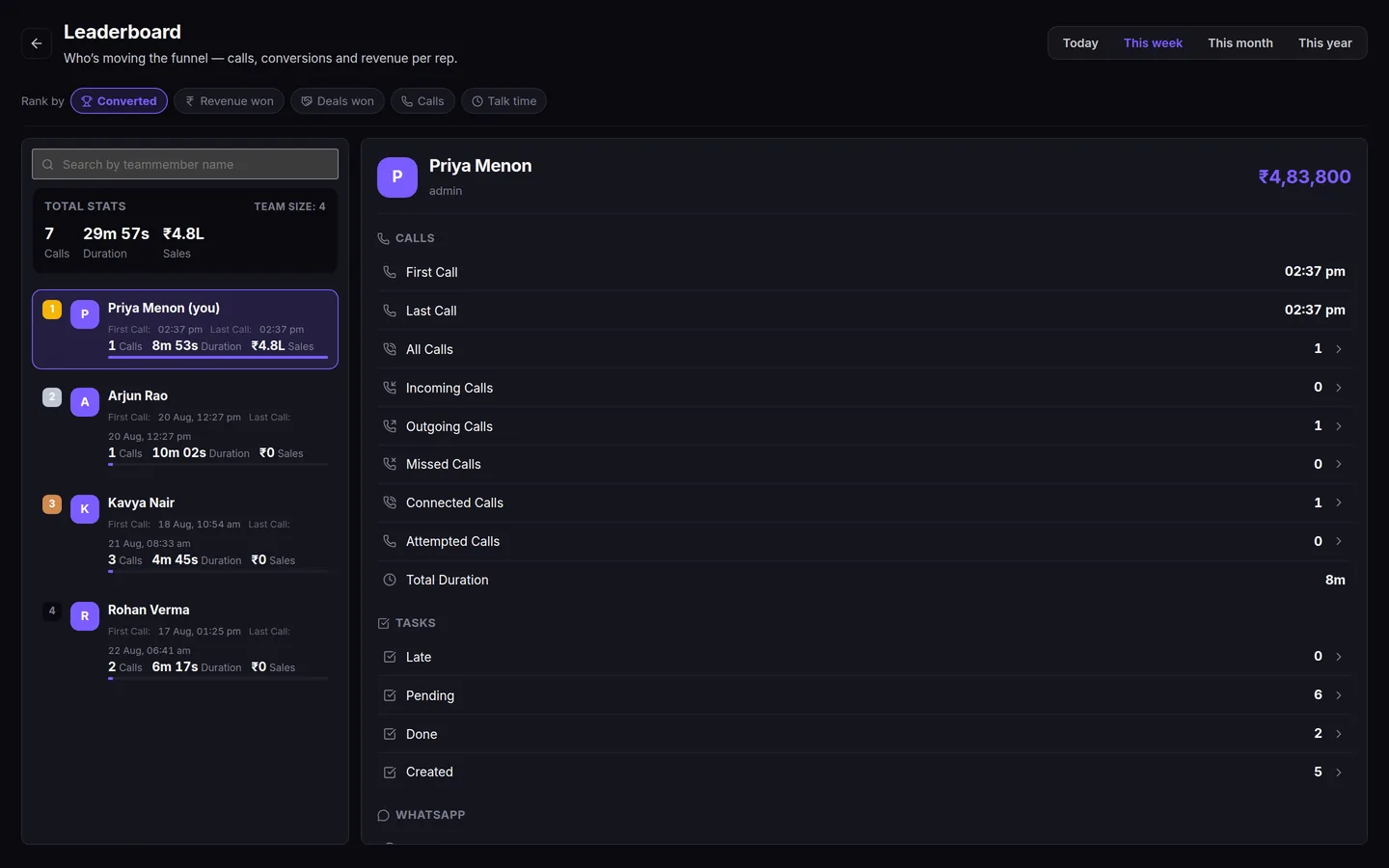
- Set a weekly talk-time target, not a call-count target. Counts produce dialling. Talk time produces conversations.
- Put the missed calls on a list. Every not-connected call becomes tomorrow's first task.
If you want to hear the summaries on your own calls rather than ours, book a demo and we will run a few live during the walkthrough; the pricing page lists the per-minute rates and what is included. No free trial, but a 15-day money-back guarantee if it does not change how your Monday meeting goes. And if your team is still logging calls in a spreadsheet, my piece on CRM vs Excel is about exactly that moment.